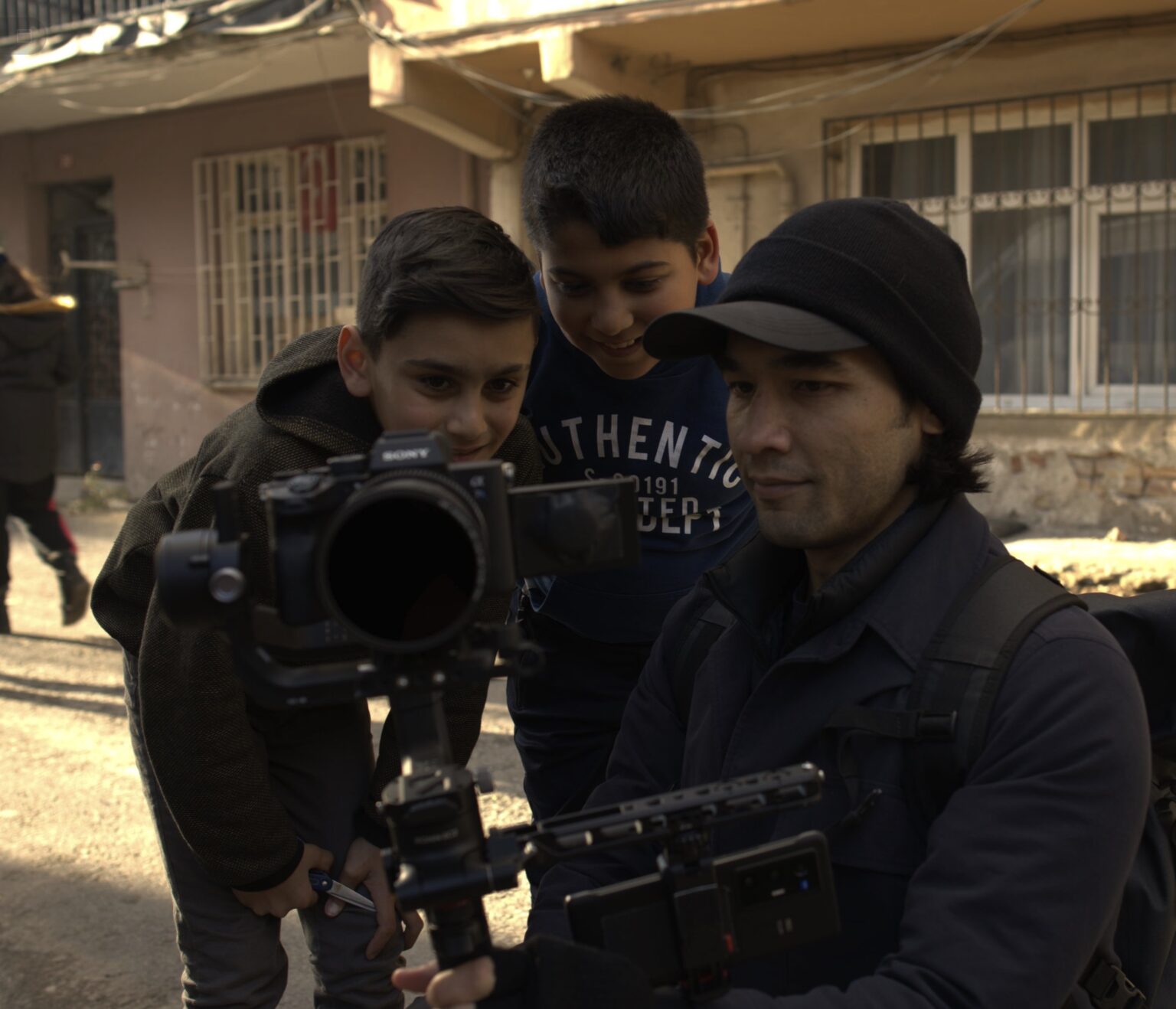
Lifetime access to the Studio closes [LEAD_DEADLINE]. After that it is not offered again.
Unscripted Studio
Own the whole school. Lock it in forever.
Nine courses, 282 lessons and three bonus courses: the complete process to plan, shoot, edit and finish films that look like they cost ten times what they did. Lifetime access is $[PRICE] this week. Then it closes, and the only way in is an annual membership.
I built a film school to answer the questions I keep getting.
Brandon Li · Unscripted
For years people have asked me the same things. How do you get that shot. How do you know what to film when nothing is planned. How do you cut it so it feels like something.
So I built the answer. Every course I have made is in one place, and between them they take apart exactly how my films get made, start to finish, shot by shot.
I am writing because we are closing lifetime access to the school. After [LEAD_DEADLINE] it will not be offered again. If you have ever thought about joining, this is the last time you can do it once and own it.
These are mine. Watch one or two before you read anything else on this page.
03 / HOW IT WORKS
If you want to make films like this.
Everything in the school is how it is done. Not theory, the actual process, on my own footage, shot by shot.
Four stages. Storytelling is the first, and it runs through the other three.
01 Story
Learn to think in stories, not clips.
Unscripted Storytelling, Shot Breakdowns
02 Capture
Shoot cinematic footage with whatever you own.
DJI Pocket 3, The iPhone Filmmaker, The Handheld Bootcamp, Fusion Filmmaking, Filmmaking Basics
03 Move
A static camera says: here is some information. A moving camera says: come with me.
The Gimbal Masterclass
04 Shape
Edit raw footage into something people remember.
The Editing Bootcamp, A Day in Chiang Mai, Island Memories, Planning and Pre-Production
The project courses all work the same way. The finished film comes first. Then you watch it get shot, in the field, mistakes included. Then you watch it get cut. Where there is footage to download, you cut the same material yourself.
04 / EVERYTHING INSIDE
9 courses. 282 lessons.
Every course is open the moment you join. Nothing is dripped, nothing is held back for a higher tier.
37 lessons · 5h 20m
49 lessons · 2h 46m
58 lessons · 3h 54m
16 lessons · 3h 01m
26 lessons · 3h 37m
38 lessons · 2h 02m
15 lessons · 1h 42m
27 lessons · 3h 52m
16 lessons · 1h 18m
Included bonuses · 77 more lessons
Filmmaking Basics
26 lessons · 3h 20m
Planning and Pre-Production
6 lessons
Bonus · 45 shot breakdowns · 8h 11m
The shot breakdowns.
The shot breakdowns are one of the most exciting parts of Unscripted Studio, and they are only open to full members, which is what you are about to become. Each one takes a single shot or scene apart in a few minutes and gives you something you can learn and go out and practise the same day, plus a jolt of visual inspiration. That is what the school is about: grab your camera and go and shoot.
→
05 / THE INSTRUCTOR
Brandon Li
Brandon's work has been featured by BBC, TIME, TedX, and National Geographic. His signature style, fluid, improvised, backpack filmmaking, has earned 13 Vimeo Staff Picks, a Webby Award, and Vimeo's Best of the Year.
He makes all of his films using only what he can carry in a backpack. He teaches the way he shoots: direct, honest, no filler.
Over 15 years: commercials, music videos, short films, events, reality TV
Webby winner and Vimeo Best of the Year for seoul_wave
13 Vimeo Staff Picks
Featured 4x in National Geographic's Short Film Showcase
3 short films in Cathay Pacific's in-flight entertainment
Lifetime access is closing. This is the last time you can pay once and own the whole school, every course and every lesson, with nothing to renew. After [LEAD_DEADLINE] the only way in is an annual membership.
No subscription · No renewal · Nothing else to buy
$[PRICE] holds until [LEAD_DEADLINE]. The Studio's standing price is $1,297, and after [LEAD_DEADLINE] lifetime is not offered at any price.
Why lifetime is ending.
Lifetime access was a fair deal while the school was being built. For it to stay open it has to be sustainable, and that means an annual membership from here.
So this is the last time lifetime is offered. We are taking [SPOTS] lifetime members at $[PRICE], and then that door shuts.
What lifetime means, precisely: every course and every lesson in the school today, plus every course and lesson added in the future. No further payment, ever.
What it does not include: one off events. If we run a live cohort, a workshop, or a guided group project, those are separate and will be offered separately. Lifetime covers the school, not everything we will ever do.
[SPOTS_REMAINING] of [SPOTS] places left
07 / THE FLAGSHIP
Four complete films, taken apart.
Not clips. Whole projects, from the first idea to the final grade, with the footage and the timelines so you can follow the same path.
A Day in Chiang Mai, a five day shoot planned and executed end to endComplete film
Island Memories, a full film project shot for photographersComplete film
Fight Therapy, a short film made on a phoneComplete film
The six Fusion scenes, with 2.9 GB of footage and Resolve timelinesComplete film
The Passion of Andalucia, full film breakdown40+ min
The Macau Vlog, Crossroads, and a Day in the Life mini documentaryBreakdown
A client commercial revision, start to finishBreakdown
08 / YOU ALSO GET
Everything you need to practice.
Downloadable footage: Island Memories, all six Fusion films (2.9 GB), Pocket 3 sample clips
DaVinci Resolve timelines, pre-linked to the clips, for Fusion and Pocket 3
The official DJI Pocket 3 LUT, D-Log M to Rec.709
Four complete short films made start to finish
Every future course and update, at no extra cost
09 / FROM INSIDE THE STUDIO
What members say.
Theja Mitta was a software engineer who picked up a camera for the first time. He had no background in filmmaking or storytelling. Within months of going through the school he had made two films that have been watched more than 23,000 times, with fewer than 100 subscribers.
"I just got signed up and have binged on the first three courses. Excellent!! I had high hopes from seeing your work. That combined with your teaching style and the course structure have definitely surpassed my expectations. I'm closer to the end than the beginning of an engineering career and recall your YouTube 'Boring Room' challenge thinking I'm not wired for this. Now that I see there is method and not simply the luck of an innate creative gene, I'm inspired. Thank-you."
Kenneth G., Studio Member
"Your basics are great and I can't wait for more material from you. I love the fact that you're a 'direct to the point' type of guy. I always like that in your YouTube videos as all. You're articulate and taking the time to share your mindset and reasonings as you go. That's so valuable. Thank you for this!"
Dave W., Studio Member
"I am new to the course. I must say that the improvised storytelling lessons are just what I was looking for. They are really going to take my filmmaking to a whole another level. Thank you for creating such an amazing community where we can learn from each other and learn so much from yourself! I am becoming much more confident with filming and starting the weekly challenges! Thank you!!"
Jakub Z., Studio Member
"All these videos are amazing! I wanted to bring a gimbal to my trip but I am still a beginner in that and I haven't got into the gimbal bootcamps. I feared it is going to be a burden to me since I am not exactly good in it yet. These handheld moves are definitely a lifesaver in this case. They might not be as stable as a gimbal but at least I have more control at the moment. Am looking forward to trying out those moves in my upcoming trip and continue with the other bootcamps afterward. Like you always emphasised: Practice, practice and practice! Thank you Brandon! Loving all your lessons so far."
Shi Jie N., Studio Member
10 / GET ACCESS
The Studio is $1,297. Until [LEAD_DEADLINE] it is $[PRICE].
Enter the code from your email in the coupon field and the total becomes $[PRICE]. Pay with any debit or credit card, Apple Pay or Google Pay.
SubtotalTotal Installment PaymentsInitial PaymentTotalTotal Due TodaySubtotalTrialAmount DuePurchase
Unscripted Storytelling37 lessons
The Gimbal Masterclass49 lessons
Fusion Filmmaking58 lessons
A Day in Chiang Mai16 lessons
Island Memories26 lessons
The iPhone Filmmaker38 lessons
DJI Pocket 3 Cinematic Video15 lessons
The Editing Bootcamp27 lessons
The Handheld Bootcamp16 lessons
Shot Breakdowns bonus45 lessons
Filmmaking Basics bonus26 lessons
Planning and Pre-Production bonus6 lessons
Downloadable footage, Resolve timelines, and the Pocket 3 LUTIncluded
Every future course and updateIncluded
Price in USD. One payment opens the whole Studio, forever.
11 / QUESTIONS
Questions?
Having trouble checking out?
It is almost always something on the device blocking the PayPal window. In this order: turn off any ad blocker, content blocker or VPN such as AdGuard, then disable browser extensions, then try a different browser. On an iPhone, Safari is the one most often affected; Chrome, Brave or the browser inside another app on the same phone will usually work straight away. If none of that does it, reply to the email and I will sort it out by hand.
What happens on [LEAD_DEADLINE]?
Lifetime access closes and is not offered again. The Studio becomes an annual membership after that. $[PRICE] is not coming back later in the year.
Is there a payment plan?
Not this time. Lifetime is one payment of $[PRICE].
What about monthly or annual?
Neither is for sale on this page. After [LEAD_DEADLINE] the Studio becomes an annual membership, and I will announce it when it opens. The one thing that will not be there is lifetime, which is what this page is offering.
Do I need a gimbal, a Pocket 3, or an iPhone?
No single course needs all of it. The iPhone Filmmaker uses only a phone. Unscripted Storytelling needs no specific gear. The Gimbal Masterclass and Pocket 3 course are built around those tools, so they're most useful if you own one or plan to.
I edit in Premiere. Can I follow along?
The editing lessons are taught in Final Cut Pro or DaVinci Resolve depending on the course. Most of what the Studio teaches happens before you sit down to edit: how to see a scene, move through it, and cover it so the edit works. The editing principles transfer, the button locations don't.
Is this for complete beginners?
Some of it. The iPhone Filmmaker and Island Memories start from zero. Unscripted Storytelling works at every level. A Day in Chiang Mai, the Gimbal Masterclass advanced modules, and the Editing Bootcamp assume you've shot and cut something before.
Do I get instant access?
Yes. The moment your payment goes through, every course, lesson, and download is open. Nothing is dripped.
What if I already own some of these courses?
You keep what you own and the Studio adds the rest, including every course you have not bought and everything released from here. If you bought the Studio itself in a previous year, do not buy this. Reply and we will sort your access out.
Lifetime closes [LEAD_DEADLINE].
After that it is not offered again. Everything above is open the moment you join.
Create emotionally compelling stories without a script or storyboards. Brandon's unique story blueprint, the framework behind every film he's made.
Improvised Storytelling, part 1
Improvised Storytelling 1
Improvised Storytelling 1: Part 13:33
Improvised Storytelling 1: Part 24:21
Improvised Storytelling 1: Part 31:24
Improvised Storytelling 1: Part 43:56
Improvised Storytelling 2
Improvised Storytelling 2: Part 17:49
Improvised Storytelling 2: Part 23:46
Improvised Storytelling 2: Part 32:57
Improvised Storytelling 3
Improvised Storytelling 3: Part 15:57
Improvised Storytelling 3: Part 22:35
Improvised Storytelling 3: Part 33:53
Improvised Storytelling 4
Storytelling Motivation11:48
Sensory Filmmaking12:41
Getting Feedback18:12
“Walking and Observing” Scene8:34
The “Look Up Portrait”7:22
Using the Line of Action for More Exciting Scenes2:17
Camera Movement: Observer to Object of Interest2:48
“Push Through Frame” Technique11:47
Focusing a Scene on an Object2:38
Shoot a Tree-Climbing Scene with a Drone4:03
Improvised Storytelling Fundamentals
Story Arc and Beats8:37
Exposition9:18
Subjective Storytelling10:43
Filming Strangers12:16
Travel Video Fixes
Drive by Shooting2:19
Too Many Landmarks2:01
Empty Posturing3:28
Too Much Hyperlapse2:42
Typical Family Vacation Videos3:51
Spectrum of Culture1:46
Exoticism3:43
Improvised Storytelling Infield
Improvised Storytelling Infield Video10:38
Improvised Storytelling Infield: Short Film “Laundry Day”0:56
Improvised Storytelling Case Studies
The Passion of Andalucia: In-Depth Breakdown55:39
In-Depth Breakdown: “Crossroads” Short Film23:30
Making a “Day in the Life” Mini-Documentary23:51
Revising Your Video for a Client: Commercial Breakdown22:23
The Gimbal Masterclass
49 lessons · 2h 46m
Beginner to advanced gimbal skills. Setup and balance; ninja walk; infield real-world demonstration; narrative long-takes; advanced extension pole movements. Some people call me the Gimbal God. To me, gimbals are more than just a tool, they're a paintbrush for creating visual art.
The course intro
Welcome
Introduction to The Gimbal Masterclass3:06
Basic Training: Setup and Fundamentals
Introduction to the Gimbal Masterclass: Setup and Balance6:51
Follow Modes4:29
Using Your LCD Screen as a Monitor2:15
Basic Training: Basic Gimbal Moves
Push and Pull1:39
Partial Orbit0:49
Rise Up0:46
How to Walk with a Gimbal1:49
Upright Follow1:07
Upright Walking Lead2:32
Upright Parallel Tracking2:09
Inverting the Gimbal1:25
Inverted Walking Lead + Follow1:39
Gimbal + Monopod Inverted Mode0:51
Orbit (Static Subject)2:53
Orbit (Walking Subject)1:21
Upright Running Follow + Lead2:27
Gimbal + Monopod: Crane Up and Down2:45
“Drone” Tracking Subject2:14
“Drone” Fly Away2:13
Upright Lead to Fly Away2:18
Infield Part 1: Street Filmmaking
Infield Upright Walking Lead3:00
Infield: Upright Follow + Slider1:49
Infield: Crane (Gimbal + Monopod)1:12
Infield: Crane (Staircase and Bridge)1:53
FE 35mm F1.8 Lens + Quick Release Mount0:56
Infield: Upright Walking Lead (Panning + Tilting)0:52
Infield: Upright Walking Follow + Lead (Matching Reverse Shots)1:50
Clear Image Zoom0:38
Infield: Upright Walking Lead (Staircase)0:34
Infield: Drone Fly Away (No Monopod)0:35
Go Mode (Sport Mode)0:58
Infield Part 2: Narrative Filmmaking
Restaurant Scene10:26
Chase Scene5:01
DJI RS 2 Gimbal: Rig Breakdown
DJI RS 2 Rig Breakdown Part 111:03
DJI RS 2 Rig Breakdown Part 29:16
Advanced Lessons: DJI RS2 & RS3
FPV Swing3:33
Simulated Handheld Look2:44
Gimbal Portal Handoff1:57
Gimbal Staircase Handoff2:18
Using a Spotter: Running2:05
Using a Spotter: Walking1:07
Using Extention Pole: Advanced5:17
DJI RS 3 Advanced Moves8:00
The Gimbal Workout
Workout 124:13
Workout 213:23
Fusion Filmmaking
58 lessons · 3h 54m
Mix 360 camera, action camera, and smartphone with mirrorless footage seamlessly. Every video includes downloadable clips and a DaVinci Resolve timeline.
Moving Backlight: Hard Light + Gimbal + Extension Rod2:07
Colored Lighting: Magnetic Tube Lights + Monopod6:56
Lighting in Motion: Timeline Breakdown7:40
Downloads
Video Clips + DaVinci Resolve Timelines
A Day in Chiang Mai
16 lessons · 3h 01m
Watch me plan and execute a 5-day shoot. Waterfalls, moving vehicles, live animals, a crowded cultural festival. See how I make mistakes and improvise my way out of them, the most important skill of all. This is not sugar-coated theoretical filmmaking in a controlled environment.
A Day in Chiang Mai, the short film
The course intro
Making a Real Travel Film: Chiang Mai: Planning and Shooting
A Day in Chiang Mai: Short Film2:30
Chiang Mai Infield: Intro7:00
Chiang Mai Infield Day 1: Umbrella Temple and Chiang Mai Bridge15:07
Chiang Mai Infield Day 2: Night Bazaar5:23
Chiang Mai Infield Day 3: Tuk Tuk Ride9:52
Chiang Mai Infield Day 4: Yi Peng Festival6:51
Chiang Mai Infield Day 5: Loy Krathong Festival13:55
Chiang Mai Infield Day 6: Waterfalls, Elephants, and Drone9:13
Chiang Mai Infield Day 7: Maeping River6:09
Making a Real Travel Film: Editing
Editing - Chiang Mai: Intro and Opening Title13:41
Editing - Chiang Mai: Jungle Scenes16:29
Editing - Chiang Mai: City Scenes10:57
Editing - Chiang Mai: River and Night Scenes13:30
Editing - Finding Your Music9:29
Editing - Music Editing17:32
Editing - Sound Editing23:29
Island Memories
26 lessons · 3h 37m
Don't let a bunch of unknowns stop you from making your first film. Step by step through a complete travel film, download all the clips and learn each step of editing, hands-on.
Island Memories, the short film
The course intro
Filmmaking for Photographers: Shooting
Island Memories: Short Film2:33
Filmmaking for Photographers Intro1:54
Filming a Landscape: Camera Setup + Basic Camera Movement6:59
Filming a Landscape II: Human Subject, Slow Motion, 30 Degree Rule4:15
Directing an Actor: Scene Coverage and Directing Performance12:47
Complex Gimbal Moves3:44
Street Shooting: Lavalier Audio, Camera Setup, Filming a Process12:56
Filming a Hyperlapse7:38
Filming a Moving Vehicle + Startup Sequence6:22
Drone Filmmaking7:14
Action Sports: Scene Coverage and Storytelling8:16
Impromptu Portraits4:25
Low Light Shooting7:29
Filmmaking for Photographers: Editing
Organization (Importing and Logging Footage)8:03
Organization II: Scenes, Stringouts, and Master Project6:49
Island Memories: Opening Title5:01
Camera Zoom and Hyperlapse Sequence11:46
Arrival, Scooter Sequence, and Market Scene13:23
Sunset, Action Sports and Improvised Portrait Scenes11:41
Night Party Scene11:09
Final Drone Shot3:27
Sound FX Part 110:35
Sound FX Part 29:36
Sound FX Part 311:56
Music12:19
Final Touches (Color Correction/Grade, Audio Master Level)14:32
The iPhone Filmmaker
38 lessons · 2h 02m
If you own an iPhone, you have what you need to make your first film. We make a martial arts action short film together, start to finish.
The course intro
Fight Therapy, the short film
The Basics
Introduction0:55
Basics: Settings2:14
Basics: Lenses2:50
Basics: Cinematic Mode4:13
Basics: Exposure2:24
Basics: The Ninja Walk1:46
Basics: Simple Camera Moves6:10
Basics: Advanced Camera Moves4:36
Fight Scene In-Field
“Fight Therapy” Short Film2:22
Fight Scene: Intro + Cinematic Mode5:09
Fight Scene: Wide Camera, Forcing the Eye1:47
Fight Scene: Slow Motion1:25
Fight Scene: Continuity + Improvising4:14
Fight Scene: Stacking a Hit3:26
Fight Scene: Camera Orbit1:46
Fight Scene: Camera Shake0:57
Fight Scene: POV Shot0:47
Fight Scene: Shot Reverse Shot1:58
Fight Scene: Final Fight Sequence2:35
Night Shooting: Setting Exposure1:52
Night Shooting: Lighting Your Subject2:51
Night Shooting: Push In, Pull Back1:33
Night Shooting: Final Thoughts1:33
Storytelling
Storytelling: Introduction1:04
Storytelling: Brainstorming2:24
Storytelling: Story Arc3:33
Storytelling: Character Arc1:24
Storytelling: Framing Device1:58
Editing
Editing: Importing Footage2:45
Editing: Converting HDR Footage for SDR3:45
Editing: Cinematic Mode4:15
Editing: Stringout, Scene & Master Project5:51
Editing: Cutting on Motion4:14
Editing: Screen Direction2:36
Editing: Eyelines4:40
Editing: Speed Ramp4:23
Editing: Screen Replacement8:00
Editing: Sound FX, Music & Voiceover11:42
DJI Pocket 3 Cinematic Video
15 lessons · 1h 42m
Turn your Pocket 3 into a cinematic content machine. Pro settings, advanced gimbal moves, low light technique, and simple color grading.
The course intro
Pocket 3
Introduction to the Course1:14
Setup & Features Overview13:22
Cafe Vlogging + Basics9:03
Walk & Talk Vlogging11:44
B-Roll Shooting (POV Style Lesson)11:05
Low Light Shooting9:52
Color Grading Pocket 3 Footage16:03
Downloads (Bonus)
Bonus - Macau Vlog Breakdown
The Macau Vlog
The Macau Vlog Breakdown19:09
Bonus - Storytelling Mini Course
Storytelling: Introduction1:04
Storytelling: Brainstorming2:24
Storytelling: Story Arc3:33
Storytelling: Character Arc1:24
Storytelling: Framing Device1:58
The Editing Bootcamp
27 lessons · 3h 52m
Make your editing powerful. From the fundamentals of organization and sound effects through advanced transitions and post-production techniques.
Editing Basics: Final Cut Pro X
Editing Basics 1: Organization17:39
Editing Basics 2: Editing Steps9:32
Editing Basics 3: Sound Effects8:15
Editing Basics 4: Music13:32
Editing Basics 5: Transitions4:14
Editing Basics 6: Speed Ramping12:01
Editing Intermediate: Final Cut Pro X
Roll-In Transition1:53
"Fast Fast Slow" Editing5:44
Creating an Explosive Moment15:59
Cause and Effect2:09
Whip Pan2:37
Zoom Through Transition5:19
Tilt-Up Transition7:59
Waterline Transition1:22
Shadows and Highlights7:12
Post-Stabilization on Part of a Clip6:17
Bored Filmmaker Challenge: Editing Breakdown8:14
Editing Advanced: Final Cut Pro X
Through the Window Transition5:29
Hyperlapse - Rise Up Transition10:59
Through the Tunnel Transition9:04
Hyperlapse Roll Transition8:53
360 Camera Transition7:53
Storytelling with Sound Effects: Quarantine Story (Short Film)
Quarantine Story Short Film1:59
Quarantine Story Sound Effects Tutorial19:54
Deleting and Multiplying Lights in Post
Deleting Lights in Post10:40
Multiplying Lights in Post12:03
GyroFlow
Using GyroFlow for stabilization15:00
The Handheld Bootcamp
16 lessons · 1h 18m
Stabilize your camera without gear. Handheld movements, shaky cam, and the ninja walk that makes people ask what rig you're using.
Handheld Bootcamp
Handheld Bootcamp Intro: How to Be Steady2:49
The Worms' Eye View1:59
How to be Shaky2:30
The Sway & The Square1:30
How to Imitate Camera Stabilizers / Gimbals2:49
Specialized Handheld Moves3:46
Tripod Hack for Cinematic Handheld Footage5:18
Tripod Hack - Updated Alternate Grip2:09
Lens Wacking2:28
Adding a Touch of Smoothness to Handheld Shots (FCP X)6:17
Handheld Shooting Infield
Alcazar: Handheld Infield Short Film3:15
Handheld Infield Part 19:55
Handheld Infield Part 27:38
Using the Tripod Hack: Demo Scene 1 - Chasing the Boat5:18
Using the Tripod Hack: Demo Scene 2 - Going to the Meeting Point6:13
Handheld Bootcamp: Case Study
Case Study: Balinese13:56
Shot Breakdowns
45 lessons · 8h 11m
The shot breakdowns are one of the most exciting parts of Unscripted Studio, and they are only open to full members, which is what you are about to become. Each one takes a single shot or scene apart in a few minutes and gives you something you can learn and go out and practise the same day, plus a jolt of visual inspiration. That is what the school is about: grab your camera and go and shoot.
Pizza Delivery Scene
Quick Shot Breakdowns
Turning on Lamps1:20
Hamam (Turkish Spa)6:28
Motorbike Whip Pan1:44
Pizza Delivery Scene7:23
FPV Fly Through - Workshop2:17
Metal Work Artist4:23
Telephoto Night Scenes4:03
Architecture Office Scene5:29
Whirling Dervishes3:31
60p Dusk Portraits1:35
Mosque Interior1:24
Walking Portrait1:31
Seaside at Dusk0:44
Telephoto Shots from Ferry1:31
120p Street Portraits1:19
Low Animal Shots (Rooster & Cat)2:46
Gimbal + Handheld Monitor3:21
Filming with a 100mm Anamorphic Lens5:20
Central Park Dialogue Scene11:06
Fashion Vlog16:31
NYC Fireworks13:16
Manhattan Street Shots13:11
Nanomorph Anamorphic8:51
Silhouette Fight Scene8:56
Vertical Video Seamless Transition9:05
Smartphone Gimbal Shots Breakdown
Smartphone Gimbal Shots Breakdown - Part 114:06
Smartphone Gimbal Shots Breakdown - Part 211:03
Smartphone Gimbal Shots Breakdown - Part 39:59
Full Film Breakdowns
The Passion of Andalucía Film
The Passion of Andalucía Full Breakdown55:39
Morocco Arise Breakdowns - Part 137:15
Morocco Arise Breakdowns - Part 233:06
Morocco Arise Breakdowns - Part 327:52
Morocco Arise Breakdowns - Part 419:28
Morocco Arise Breakdowns - Part 531:45
Short Film: Attack Jackie Breakdown
Orbiting Fight Scene21:24
China Town Chase Scene12:09
Running for the Tuk Tuk7:02
Side Tracking Through Crowd4:46
Hallway Tricking4:59
Big Bad Guy Intro Shot7:32
One on One Fight Scene13:50
Short Film - Dreamwalking Barcelona Breakdown
Dreamwalking Barcelona Breakdown8:22
Vlog Breakdowns
Macau Vlog w/ DJI Osmo Pocket 3 Breakdown19:09
Instagram Reel Breakdowns
Retro-Cinematic Instagram Reels Breakdown14:22
Filmmaking Basics
26 lessons · 3h 20m
Storytelling Basics
Four Important Questions for Filmmakers10:50
The Types of Films You Can Make (Genres)14:02
Shooting Basics
Camera Setup - Sony A7iii15:59
Camera Setup - Sony A7siii13:15
Shutter Angle3:32
Frame Rates10:44
24p In-Depth Lesson16:23
Field Audio7:18
Screen Direction3:15
Scene Coverage4:39
Basic Transitions9:28
Hyperlapse7:18
Filming Details3:13
Filming Food5:44
Filming at Dusk2:21
Basics of Shooting in Natural Light
Intro; Far Side Light and Back Light6:32
Golden Hour3:06
Mid-Day4:31
Dusk and Dawn (Blue Hour)4:27
Night6:39
Editing Basics
Basic Editing Rules12:02
Shooting for the Edit11:38
Editing Pacing5:56
Sound Effects: Ambience8:00
Sound Effects: Foley6:32
Sound Effects: In-Camera Audio2:49
Planning and Pre-Production
6 lessons
Planning Your Travel Video
Planning Your Travel Video 1: Choosing a Destination
Planning Your Travel Video 2: Picking the Right Subjects to Shoot
Planning Your Travel Video 3: How I do Research Online
Planning Your Travel Video 4: Local Fixers, aka Friends
Planning Your Travel Video 5: Permissions, Permits, and Releases